


Smart Service Update 103 adds secure, convenient, and affordable payment processing to Smart Service and iFleet. To see how this new feature works, watch our update video:
Activating Payment Collection
Before you can start collecting payments within Smart Service and iFleet, you'll have to undergo a brief approval process. To start this process, email us at [email protected] or give us a call at 888-518-0818. After obtaining approval, you can start collecting payments in Smart Service and iFleet.
Payment Collection in Smart Service
Once your company has received approval for payment processing, you'll find a new Payments tab in each job:
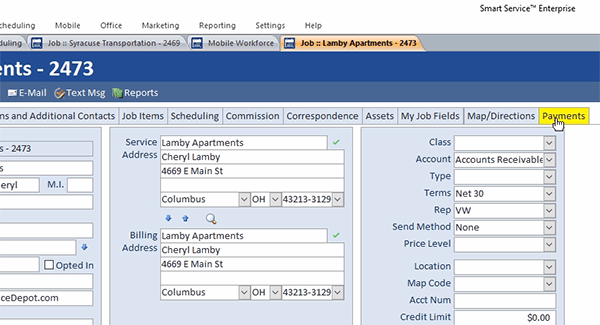
Clicking this tab will allow you to record and process a payment for the job within Smart Service. To do so, simply enter the customer's credit card or check information. Once you've done this, click the Process Payment button and you'll get a confirmation that you've successfully collected the payment (or a message stating a reason for a declined payment). Clicking the Save Payment Method box will save a credit card to your customer's account, allowing you to more easily collect payments from them in the future. (Note that Smart Service will encrypt saved cards, displaying only the first two (and final four) digits of the card number to Smart Service users.) Processing payments in Smart Service will update the corresponding customer's records in QuickBooks.
Payment Collection in iFleet
Once your company has received approval for payment processing, you'll be able to collect a payment before finalizing a job in iFleet. To do this, simply tap the new Process Payment button:
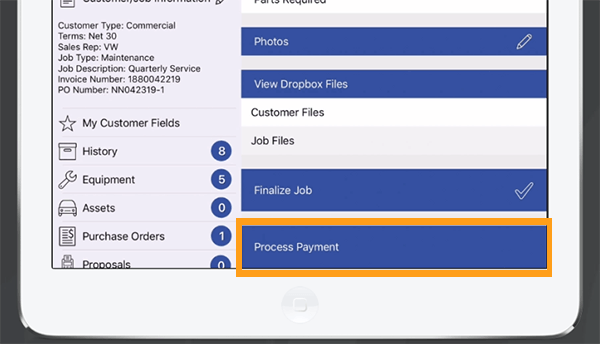
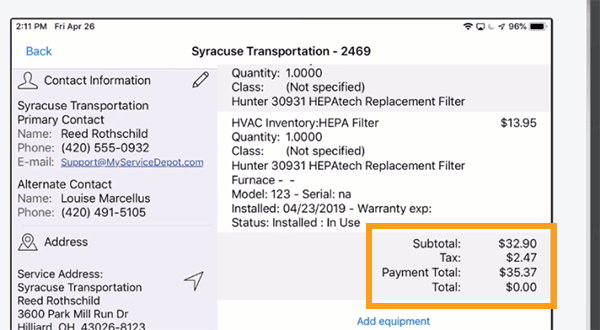
Once you've done this, you can enter the customer's credit card or check information. (Just like Smart Service, iFleet will encrypt the payment data.) Collecting a payment in iFleet will deduct the payment from the customer's balance on your work order:
Other Resources
Click to view the complete 10.103 release notes. Click to update Smart Service.


