


Smart Service Update 104 brings some great new features to the table. For a tour of all the highlights, watch our official update video:
Revised Quantity and Item Pricing Options
Many field service companies want to exercise control over the prices their technicians and customers see, and Smart Service Update 104 gives users much more control over this information. Within the Settings menu, you'll find these new dropdown options for Work Orders and Estimates (note that your company may use another, custom term for estimates, like "quotes" or "proposals"):
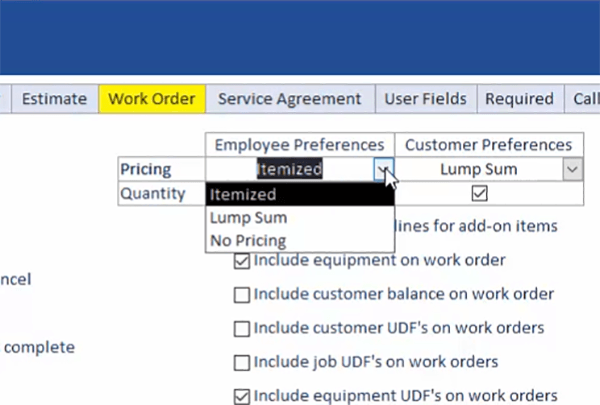
The selection you make here will dictate the pricing information displayed to technicians in iFleet, and to customers when they receive their copy of your paperwork. Here's what the different options do:
- Itemized Pricing: When checked, iFleet will display pricing for each individual line item as well as the grand total for all line items.
- Lump Sum Pricing: When checked, iFleet will not display individual pricing information for each line item, but it will display the grand total for all line items.
- No Pricing: When checked, iFleet will not display any pricing information. This will also disable payment collection features.
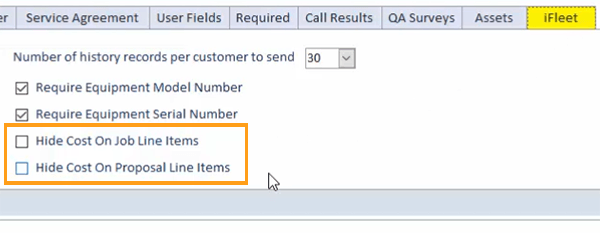
Also, you can now elect to display item cost information with these new checkboxes within the iFleet tab:
Store Pictures on Equipment
Users can now store pictures and other attachments (such as user manuals) within equipment records in Smart Service and iFleet. In Smart Service, you can add attachments via the Attachments tab in a customer's equipment record:
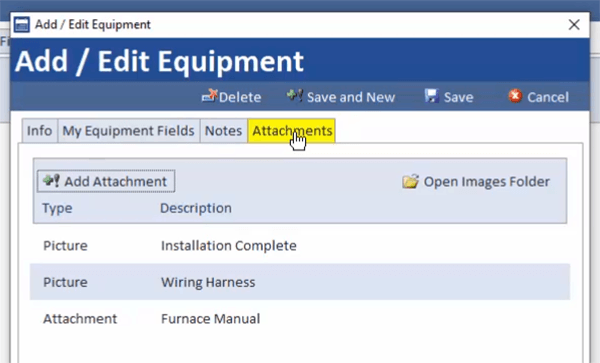
Attachments added here will show up for jobs associated with this customer in iFleet. When adding a new photo in iFleet, users can opt to associate that picture with an individual piece of equipment:
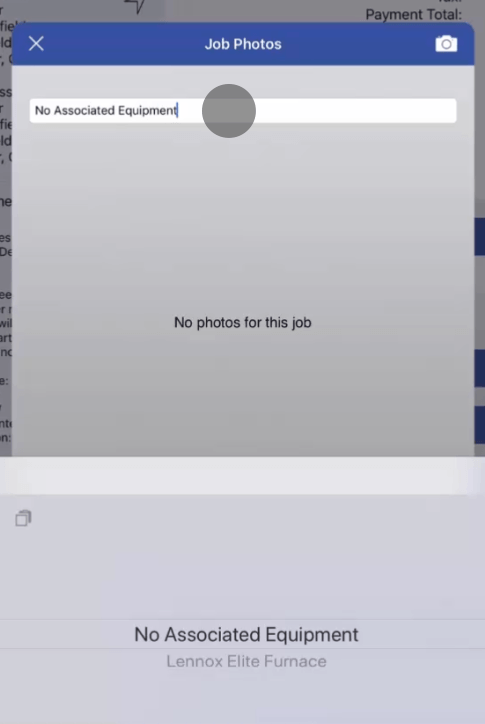
To utilize this feature, you will need to take advantage of our Dropbox integration. Read the Dropbox integration guide or give us a call at 888-518-0818 for help setting up Dropbox.
Create a New Customer from a New Job
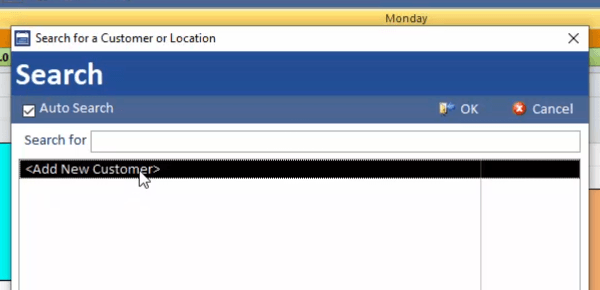
After clicking New Job in the scheduler, Smart Service users now have the option to create a new customer:
Purchase Order Changes
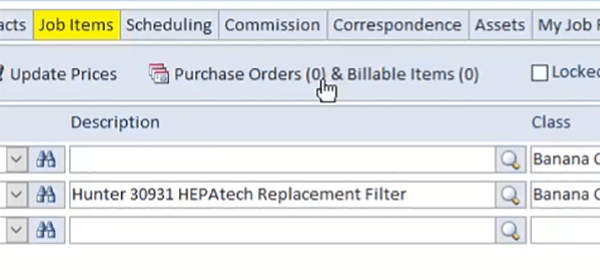
To increase Smart Service performance, we've moved our purchase order options to this new location within the Job Items tab:
For more information on Smart Service purchase orders, check out this handy article.
Other Resources
View the complete 10.104 release notes. Download the latest Smart Service update.


