


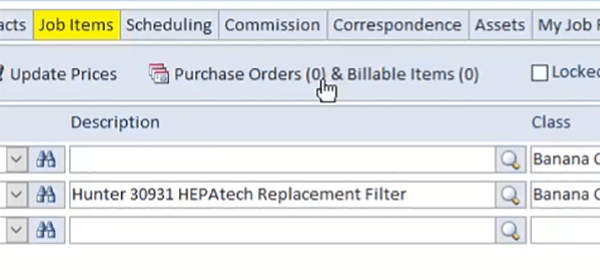
Smart Service Update 114 brings some great new features to the table. For a tour of all the highlights, watch our official update video:
Phone Calls & Reminders in iFleet
We've had many customers request the ability to dispatch phone call and reminder correspondences to iFleet so your iFleet users can see notifications about office meetings, tasks, and phone call follow-ups with customers.
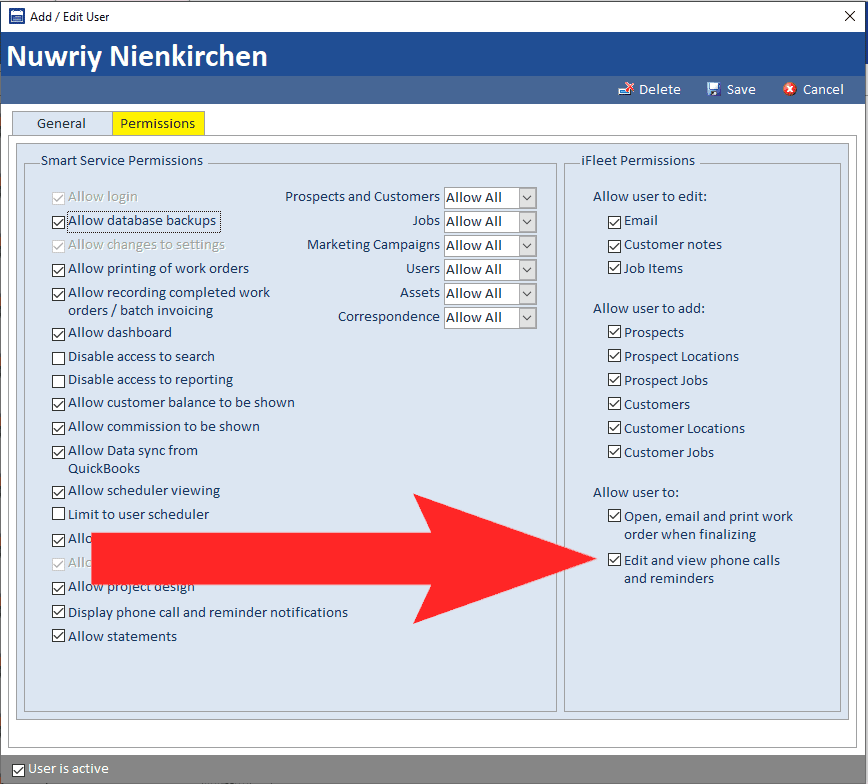
Your iFleet users will require the new permission (shown above) to receive the phone calls and reminders scheduled for them. It's also important to remember that only phone calls and reminders attached to a customer, prospect, or job will be able to be sent out to iFleet.
Desktop Notifications
Smart Service office users can enable a permission to display phone call and reminder notifications even when Smart Service is minimized on your computer. These notifications (example below) will show above your toolbar.
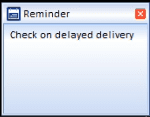
Smart Service will check for reminders and phone calls assigned to the user every 5 minutes and display a notification 5 minutes before the scheduled correspondence.
Clicking on the reminder text will open the correspondence record for the user. Remember, while the phone call or reminder is open you won't be able to perform other tasks in Smart Service until the record is saved.
Update Item Pricing
For those looking for an easy way to implement price increases on your existing estimates and work orders, version 114 has a great feature for you!
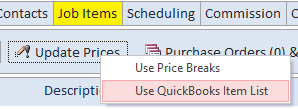
Now it's easier than ever to update the item prices on work orders to match price changes made in QuickBooks. After running a 'Get Lists', you can open the job items tab of an estimate or work order and use the "Use QuickBooks Item List" function (shown above) to update the prices of the line items on the job or estimate so that they match the prices for those items in QuickBooks.
Bundles from QuickBooks Online
Companies using QuickBooks Online with Smart Service now have access to bundle items within the job items window.
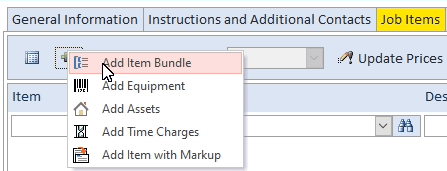
Bundles are a quick and easy way to add a group of items to a work order or estimate at once. If you haven't created any bundles in QuickBooks Online yet, you can learn about them here. If you're one of our QuickBooks Desktop users, you have this functionality already in the form of Group Items.
New Batch Invoice Item Description
Users who take advantage of our batch invoice features now have a new batch invoice item description to try out. Smart Service can now add 'Completed Date - Item Description' into the description of line items on batch invoices sent to QuickBooks.
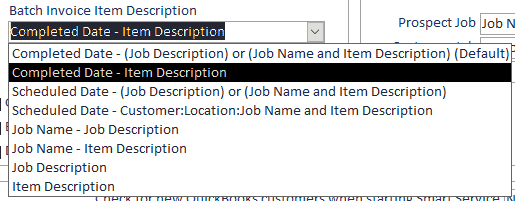
Users can choose this option by navigating to the 'Defaults' section of Settings and changing their batch invoice item description. Remember, your changes in Settings will affect all batch invoices!
Drag & Drop Correspondence
Looking for an easier way to add photos and attachments to records back in the office? Version 114 has an option to make adding multiple images or attachments easier and more convenient!
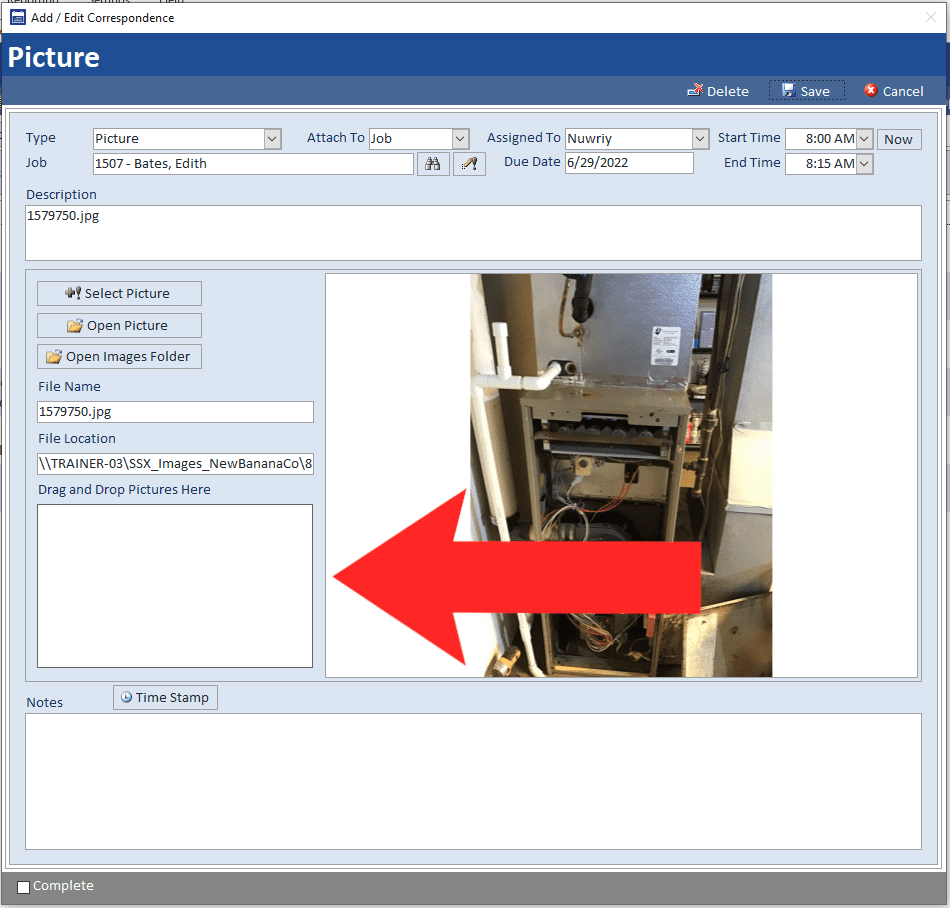
By clicking the "Add Correspondence" button inside of any correspondence tab in Smart Service and selecting either the photo or attachment option, users can drag and drop multiple records into the specified section of the screen. Once you click save on the correspondence record, you'll see your images or attachments added to the correspondence tab of your record.
Other Resources
Click to view the complete 10.114 release notes.
Click to update Smart Service.


